
🌟 ProPresenter Clicker – Get Started / Comenzar
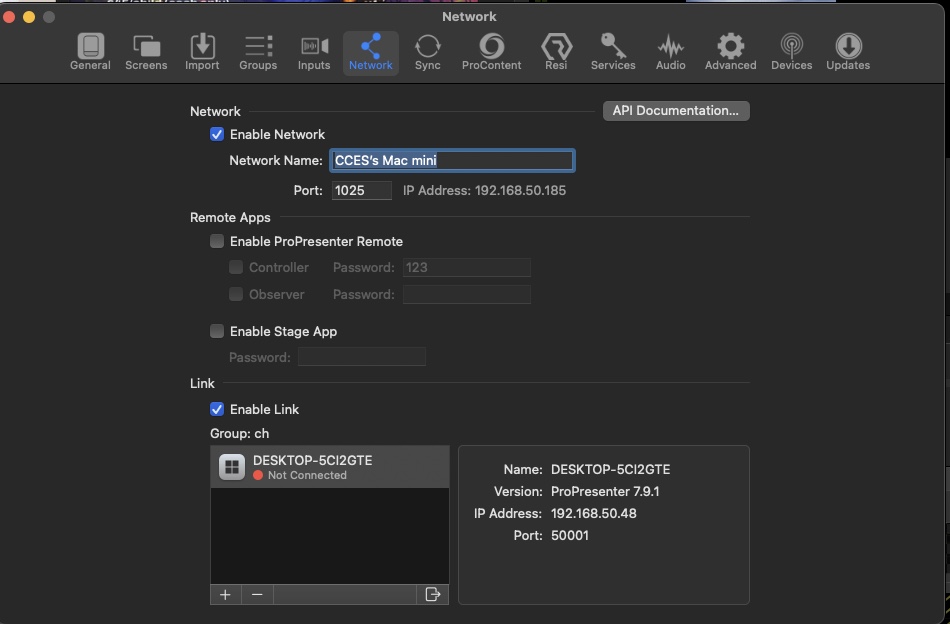
🔧 STEP 1: Enable Network in ProPresenter
Activar red en ProPresenter
EN:
-
Open ProPresenter.
-
Press
⌘ + ,to open Preferences. -
Go to the Network tab.
-
Make sure Enable Network is checked.
-
Confirm Port is set to:
1025.
ES:
-
Abre ProPresenter.
-
Presiona
⌘ + ,para abrir las Preferencias. -
Ve a la pestaña de Red (Network).
-
Asegúrate de que "Enable Network" esté activado.
-
Verifica que el Puerto sea:
1025.
🌐 STEP 2: Connect to ProPresenter
Conectar a ProPresenter
EN:
-
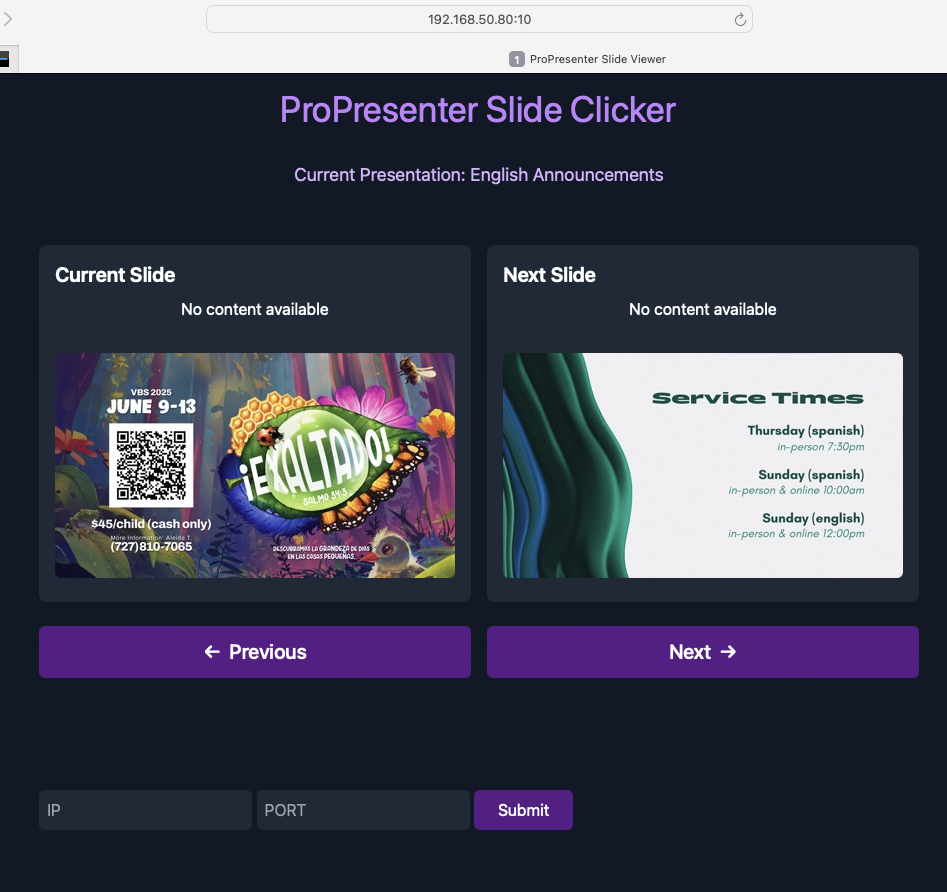
Open your browser.
-
Go to:
👉http://192.168.50.80:10 -
The app will try to auto-connect to ProPresenter.
ES:
✅ STEP 3: Verify Connection
Verificar Conexión
-
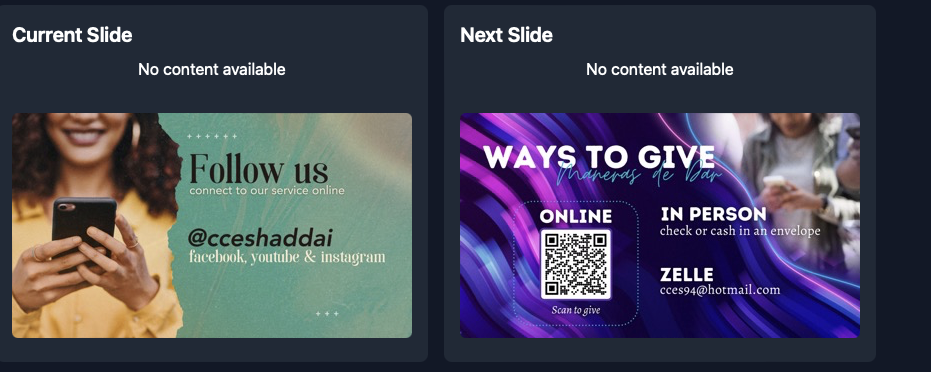
ProPresenter Audience View
-
App preview showing the same image
EN:
-
If connected successfully, you'll see the current Audience Preview image in your browser.
-
If not, try refreshing or wait a few seconds — updates happen at intervals.
ES:
-
Si la conexión es exitosa, verás la imagen actual del Audience Preview en tu navegador.
-
Si no se muestra, intenta recargar o espera unos segundos — la vista previa se actualiza con intervalos.
No Comments